The obvious way to build "teach the assistant by showing it" is as a mode. You add a button, the user hits record, a dedicated pipeline captures the screen and the narration, a specialised model turns that into a skill file, and the skill lands in a library of things-learned-by-demonstration. That's a coherent product and several companies have built some version of it.
We can do the same thing and we never wrote any of that. There's no record button, no capture mode, and no teaching flag. The word "demonstration" turns up in two places in the whole runtime, both of them prose telling the model when to keep a task session alive. Everything else is machinery that was already there for other reasons.
It works because screen frames are ordinary message content, task sessions can remain open, and any task can write a reusable function. None of those parts knows that it is participating in a demonstration.
Images are not a special kind of input
The decision that does the work here sits well upstream of anything to do with teaching: visual input is plumbed through the system as ordinary message content, right from the bottom.
When you share your screen on a call there's no recording. There's a buffer holding the latest frame and it gets sampled when you say something, on the theory that the moment you speak is the moment the picture is worth having, and the rest gets discarded. That frame becomes an image part in a message, which is the same shape of thing as text, and it joins the conversation state the assistant reasons over on its next turn, in the same list, next to what you said.
A photo sent by message follows the same path, as does an image pasted into chat or a screenshot from the assistant's own desktop. Each becomes an image part for the model reasoning now and a file for any task that needs it later.
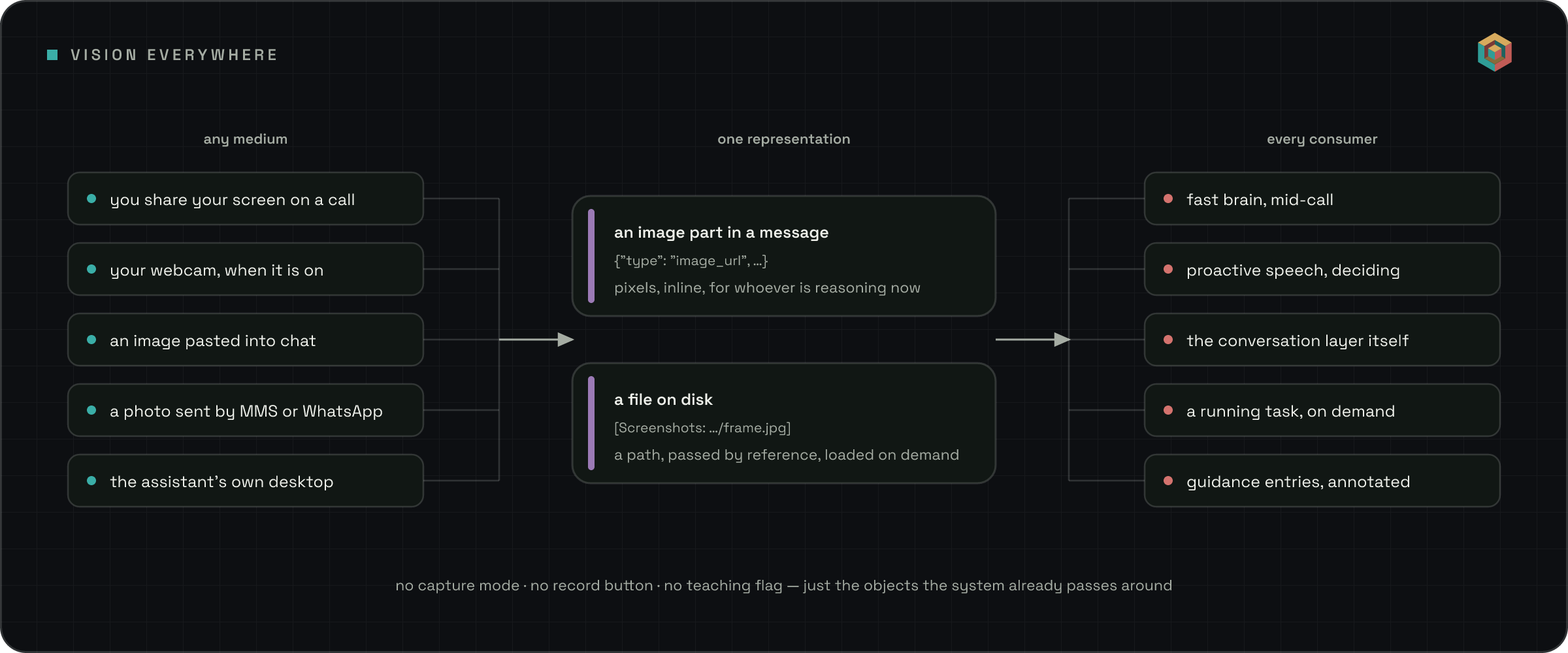
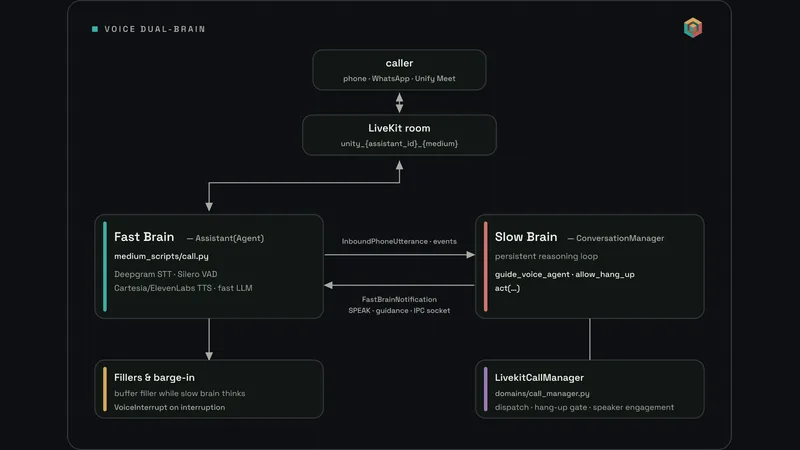
This common representation makes unplanned uses possible. The fast brain on a live call gets fresh frames before its turn, so it can react to what's on screen inside a second. The silence-filling logic sees the same frame and can say "that dropdown is the one you want" during a pause. Neither path needs a screen-share-specific integration.
Pixels by reference, not by value
I initially assumed the screenshots travelled with a forked conversation. They do not.
When the conversation layer hands work to a task, it can fork its conversation into it, but image payloads get deliberately stripped out of that snapshot. What survives is the annotation the transcript already carries, [Screenshots: …/frame.jpg], sitting next to the message it belongs to. So the task gets paths rather than pixels, and the conversation layer is told plainly in its prompt that filepaths are the only way the task can reach an image.
Sending twenty images in every fork would make the prompt unnecessarily large. Paths also let the task choose which frames to inspect. It can attach a frame to its context or ask a focused question about it, using the same tools as any other image. Most tasks inspect no frames; a task learning a visual workflow may inspect nearly all of them.
An image on disk is just a file, and every part of the system already knows how to pass files around. A screenshot therefore behaves like an emailed PDF. Guidance can also point to the image, so "the export button is the small one in the top right" can keep the frame that shows it.
What a teaching session actually is
So you get on a call, share your screen, and say "right, this is how I do the weekly invoice run". Here's the entire mechanism.
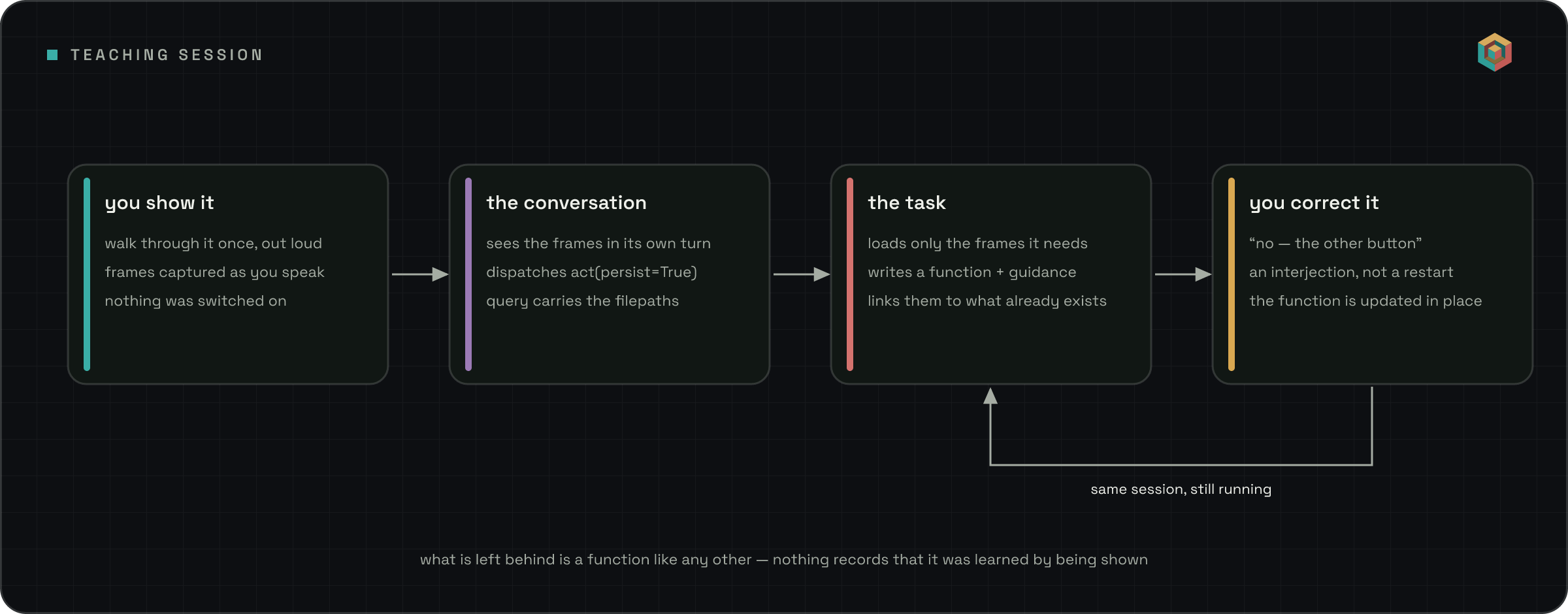
The conversation layer sees your words and frames, decides that work is needed, and keeps the task session open for further instructions. It follows the same rule used for any task: keep the session when another instruction is likely. The prompt lists walkthroughs as one example. That is the only demonstration-specific guidance in the path.
The task inspects the relevant frames and writes down what it learned. A repeatable sequence becomes a function. A rule about tone or escalation becomes guidance. When both are needed, they are linked to each other and to related entries.
Then you say "no, not that button, the one underneath". This is where a recording mode gets awkward, because a recording is finished when you stop it, so now you're editing an artefact. For us it's just an interjection into a session that never ended, machinery built for interrupting long-running work that happens to do this job too. The task still has the whole context, so it updates the function in place rather than writing a second one, and if you shared a new frame while correcting it then that frame is in the update it just received, as another path.
Iterate as long as you like. Come back next week, reopen it, refine further. Teaching a person a workflow takes more than one pass and it's strange to build software that assumes otherwise.
What the session produces
The result is a normal function with any related guidance beside it. There is no flag for demonstration, no separate library, and no different execution path.
The practical effect is that a demonstrated workflow can be called by another function, refined by a later distillation pass that never saw your screen, shared with a teammate, or found by search when something adjacent comes up. A skill that arrives through a special pipeline tends to stay inside the world that pipeline built for it, whereas one that arrives through the front door is just part of the library like everything else.
Why we avoided a mode
A dedicated screen-teaching pipeline would be faster to build at first. It has a clear start button, a recording, and a special output. We have used that approach for smaller capabilities.
A mode also creates another implementation of state and storage. Its interactions with existing modes then need separate answers. Screen sharing during a recording and a scheduled task firing during a demonstration become new combinations to support.
Screen-share teaching did not require a new path. Ordinary image messages supplied the evidence, a persistent task accepted corrections, and the function library stored the result. That will not be true for every capability, but checking the existing abstractions first avoided a second implementation here.
Where to look
All open at github.com/unifyai/unify:
- Frame capture from screen share and webcam:
unify/conversation_manager/medium_scripts/common.py - Images as message parts in the reasoning turn:
unify/conversation_manager/domains/brain.py - Redacting image payloads from forked context:
unify/common/context_dump.py - Loading an image inside a running task:
unify/common/_async_tool/images.py - Writing what was learned into the libraries:
unify/actor/code_act_actor.py